
These templates are currently only used on the Programs page but note that any changes made to them will apply to all instances where that pattern is used across the website.
How to change the featured program
- Navigate to the Programs page and enter Edit mode
- Select the + button at the top left hand corner of the editor to add a new block to the page
- In the left-side panel of options, select the tab to the far right with a double triangle icon (on hover, it should say “Synced patterns”)
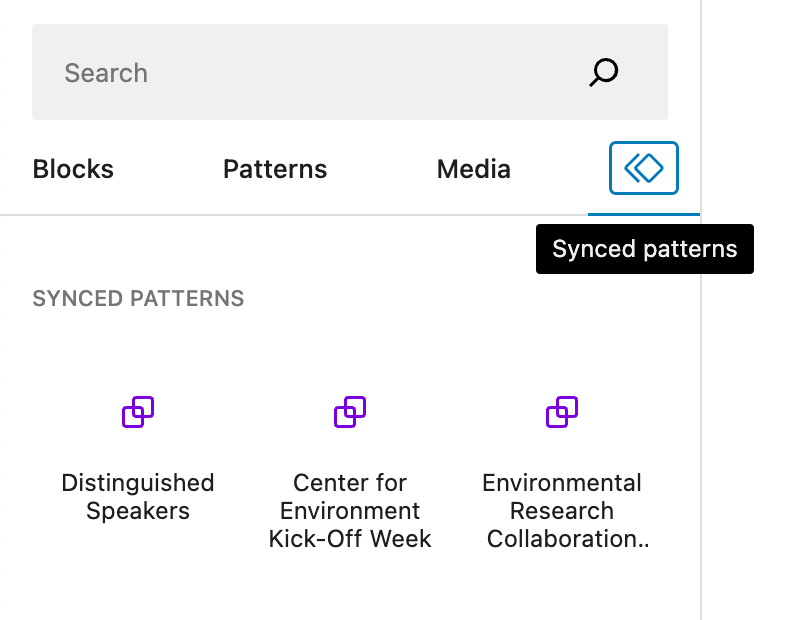
- Click on the name of one your desired pattern from the options or drag and drop it onto the page in the appropriate space
- Delete the existing Featured Program (too many features will diminish the importance of them within the page layout).
- Publish your changes