If edits you’ve made on the site aren’t displaying on the front-end for you or other users, there may be a caching issue.
Local cache
The first thing to try is to clear your local cache. Especially if you are working on the site before it’s launched, the site has a cache that’s refreshed very infrequently. The solution is to force a hard refresh of the page in your web browser.
Single URL cache
To clear the cache for the page/post you’ve edited, go to the front-end view of the page/post (staying signed in) and click “Clear URL Cache” in the top editor.

Content displayed in multiple locations
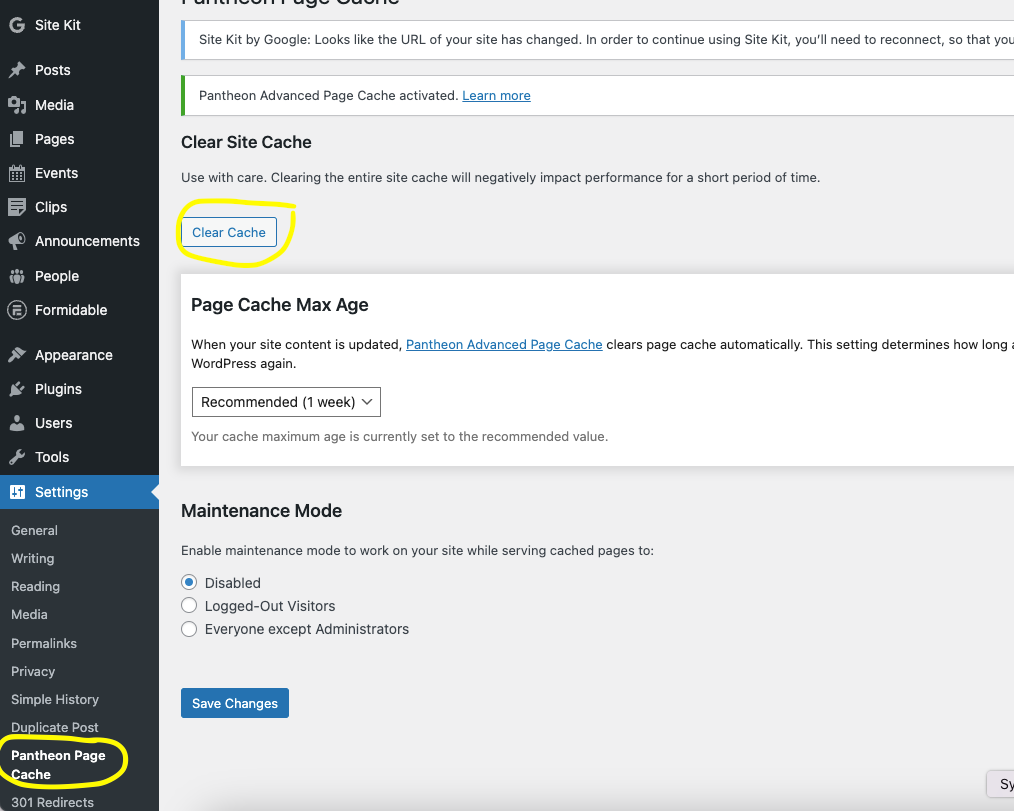
If it’s a case when the edits you’ve made show up in other places – for instance, the edits are on a post from which the edited information is displaying on another page via a Latest Posts block – then you also will need to purge the site cache. In the back-end left-hand menu, select Settings > Pantheon Page Cache. On the resulting screen, click the “Clear Cache” button.